

Self-hosted AI agent orchestration
Build, run and govern AI agents on infrastructure you control
AAIOS brings a visual workflow builder and an autonomous agent runtime together on one platform, and checks what goes into and comes out of your models. Your database, credentials and run results stay in your own deployment.
Why teams get stuck
Visual tools stop short of agents
No-code automation is easy to pick up, but it was not designed for agents that plan and act on their own, or for the controls an enterprise security review asks for.
Agent code is a black box to most people
Agent frameworks give developers planning, memory and tool use. Everyone else sees a script, not a decision path they can follow.
“We’ll check the logs” is not an answer
When someone asks how an agent reached a decision, or what stops it sending personal data to an outside model provider, the answer has to be a record, not a search.
What you get
One platform for the people who build automations and the people who have to approve them.
Build
A visual builder for workflows and agents
Drag nodes onto a canvas: HTTP requests, transforms, conditions, LLM calls, MCP tools, database queries and human approval, started by hand, by webhook or on a schedule. Step through a run node by node and replay it from the point of failure.
Run
Agents that plan, act and leave a trace
Give an agent an objective, the tools it may use and its limits. It plans, calls tools and observes the results in a separate Python runtime, and every step is recorded in order. Run models locally with Ollama, or use OpenAI and Anthropic with your own keys.
Govern
Controls your security team can check
A firewall scans model and tool traffic in both directions. An append-only, hash-chained audit log records who did what. Roles decide who may build, run, change or only observe.
Also in the platform
AI gateway
Provider routing with fallback, exact and semantic caching, per-tenant rate limits and model allowlists.
Knowledge base
Shared memory on pgvector with hybrid search and reranking, scanned for personal data on ingestion.
Human approval
Runs pause for a decision and pick up again after a restart. Approvers hear about it on Slack or by email.
Observability
Prometheus metrics, OpenTelemetry traces and a live stream of every run’s events.
What it looks like
Screens from a demonstration workspace filled with sample data. No real organization or data.
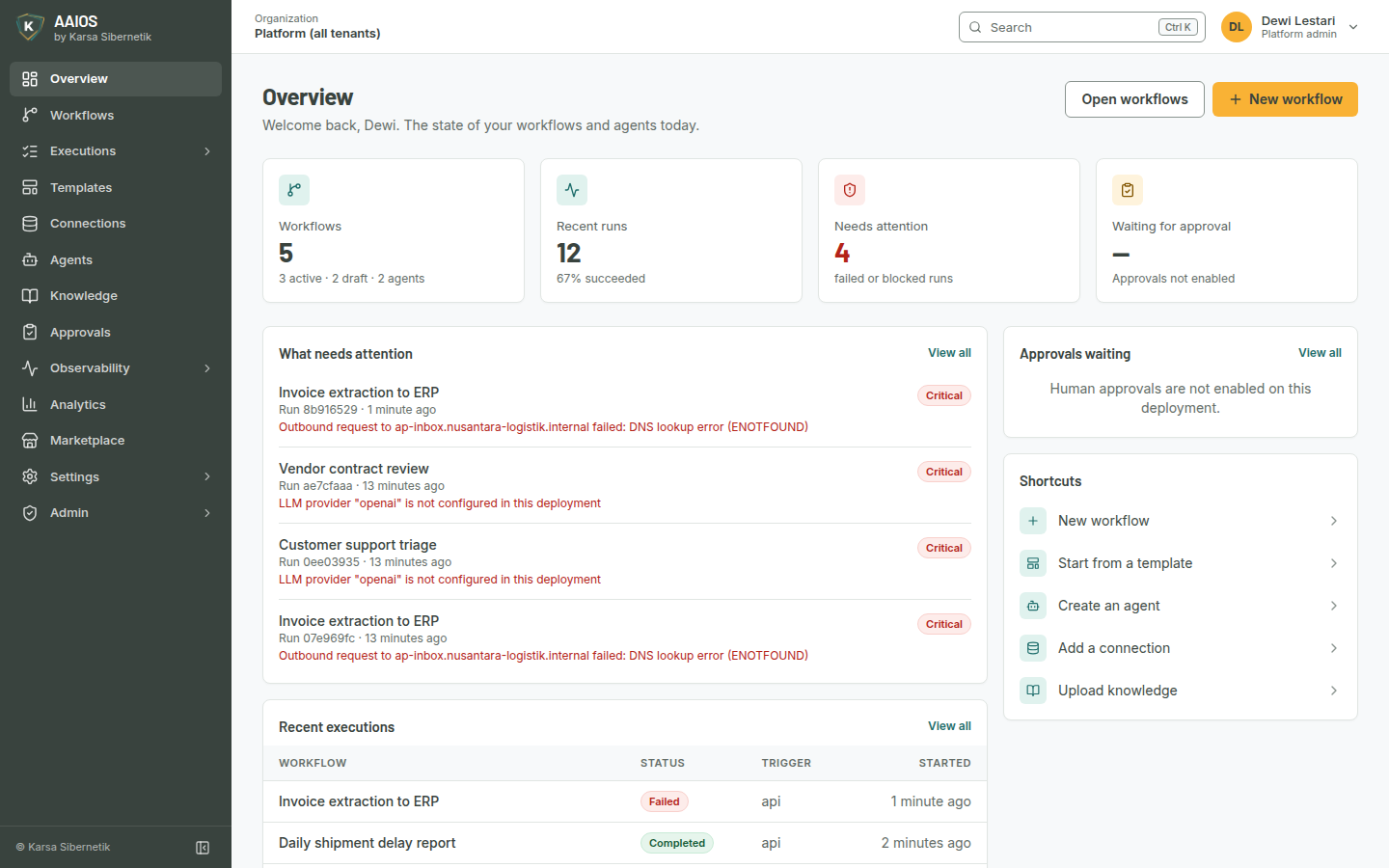
Your automation at a glance
How many workflows and agents you have, which runs need attention and why, and shortcuts to what you do most.
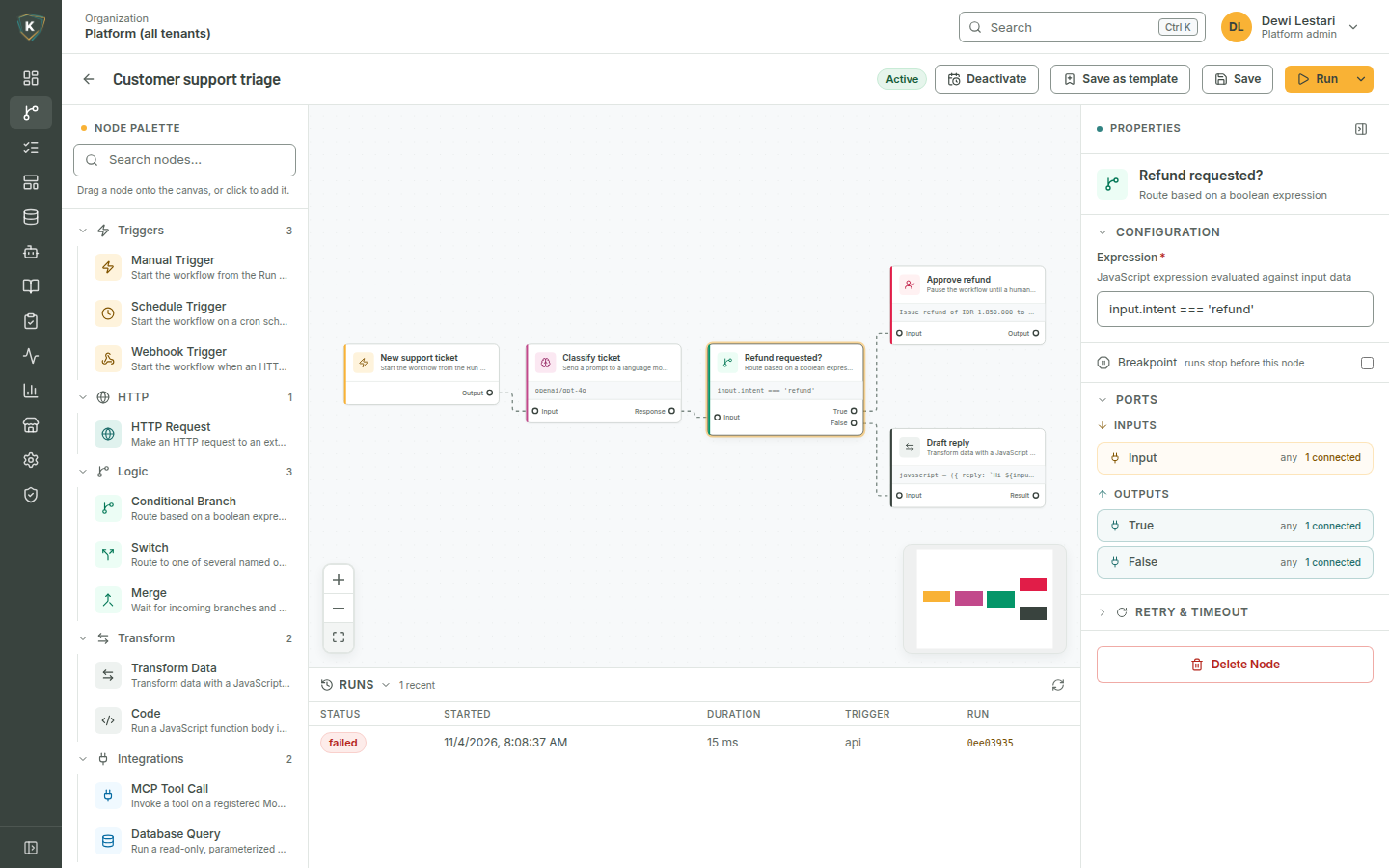
Workflows on a canvas
Place nodes, connect them, set a breakpoint, and read the result of each run beneath the canvas.
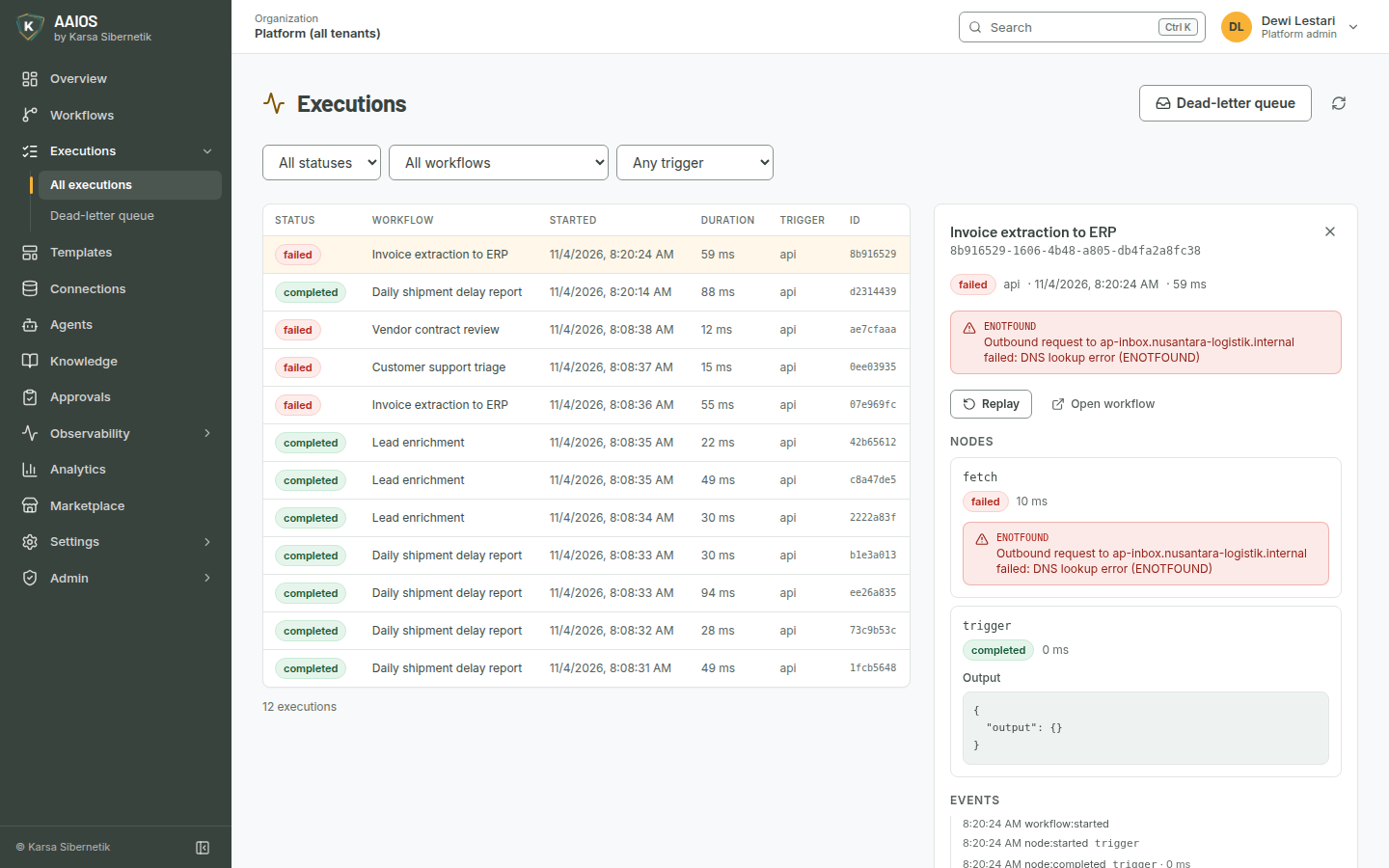
Every run, with the reason it failed
Filter runs by status, workflow or trigger, open one to see each node, its output and the events in order, then replay it.
How you start
AAIOS runs on infrastructure you control, from a single Docker Compose file to a Kubernetes cluster.
Deploy where your data lives
Use Docker Compose to evaluate it or for a small team, or the Helm chart to run it in production on Kubernetes. Both use the same container images.
Connect models and systems
Point AAIOS at Ollama, OpenAI or Anthropic, add MCP servers and read-only Postgres connections, and let other systems start workflows through authenticated webhooks.
Build and test
Lay out a workflow or define an agent, run it on sample input, and step through what happened before you switch it on.
Govern and watch
Set firewall rules, roles and single sign-on, forward audit entries to your SIEM, and scrape metrics into the monitoring you already run.
Built for regulated environments
Security sits in every layer, not on top. Each control below is implemented in the platform and configured by your own operators.
Self-hosted, so your data stays put
The database, provider credentials and run results stay in your deployment. If you turn on usage export, only daily totals leave, with each tenant id replaced by a keyed hash.
Tenants isolated in the database
PostgreSQL row-level security decides which tenant’s rows are visible, enforced by the database rather than by application filters alone. Each tenant can also limit access to its own IP ranges.
An audit chain that shows tampering
Audit entries are append-only: a database trigger rejects edits and deletes, and each entry is chained to the one before it with an HMAC you can verify on demand. Export as JSON, CSV or CEF.
A firewall for agent traffic
Rules for personal data, prompt injection, content safety, data exfiltration, keyword lists and custom patterns can block, redact or log. They cover workflow nodes, agent tool calls and the AI gateway, and a check that fails blocks.
Credentials encrypted at rest
Provider keys, MCP headers, database connection strings and webhook secrets are encrypted with AES-256-GCM, optionally under an AWS KMS key. Passwords and API keys are stored only as hashes.
Single sign-on and SCIM
Sign in with OpenID Connect or SAML 2.0, and provision users and groups over SCIM 2.0, mapped to roles.
Role-based access
Built-in and custom roles with permissions per resource and action. API keys can be narrowed further and never exceed what their owner holds.
One egress policy
Every outbound call that a user, workflow, agent or plugin can aim somewhere passes the same policy. Private networks and cloud metadata addresses stay blocked unless you allow them, and addresses are checked again at connect time.
Questions we hear first
Does our data leave our infrastructure?
No. Workflows, run results, credentials and the database stay in your deployment.
If you configure usage export, the platform sends daily totals for workflow runs, LLM tokens and API requests, with each tenant id replaced by a keyed hash. The aaios usage preview command prints exactly what the next export would send.
Which model providers can we use?
Ollama for models that run on your own hardware, and OpenAI or Anthropic with your own API keys. Self-hosted provider endpoints work too, subject to the egress policy.
Can it run without internet access?
Yes. With Ollama as the model provider, workflows can run fully offline. The license is verified offline, and losing contact with the control plane never changes the license state.
What is the difference between the Community and Enterprise editions?
The Community Edition is open source under the Apache License 2.0: the workflow engine, the visual builder, the agent runtime and OpenID Connect sign-in.
The Enterprise Edition adds plugins for the firewall, the audit log, fine-grained roles, SAML and SCIM, multi-tenancy, shared memory, the AI gateway, human approval, observability and horizontal agent scaling. Its source is available to read, and running it in production needs a license key. Both editions use the same container images.
How is it deployed?
With Docker Compose for evaluation and small teams, or with the Helm chart on Kubernetes 1.27 or later for production. It needs PostgreSQL 14 or later with pgvector, and Redis or Valkey 7 or later, either managed or inside the cluster.
Can a person approve what an agent or workflow does?
Yes. A human approval step pauses the run until someone approves or rejects it. The pause survives a server restart, and approvers can be notified on Slack or by email.
Is AAIOS certified?
Not today. We do not claim SOC 2, ISO 27001 or ISO 42001 certification. What we can show you is how each control works and how to check it in your own deployment.
See AAIOS on your own use case
Tell us what you want to automate and what your security review will ask. We will walk you through the platform and tell you honestly whether it fits today.
Or write to support@karsa-siber.com